Category: Introduction

  • Wayfair’s Strong Quarter: What Independent Rug Retailers Should Do Next

    After several challenging years, the home furnishings market may finally be turning a corner. For independent rug retailers, that creates new opportunities—but it also raises customer expectations.

    Wayfair recently reported one of its strongest quarters in recent years, with revenue growing 7.5% year over year to $3.5 billion, U.S. revenue increasing 8.7%, and orders growing 6%. The company also reported its strongest free cash flow since 2020 and continued growth in active customers and average order value.

    While few independent rug retailers compete directly with Wayfair, many shoppers compare experiences across multiple retailers before deciding where to buy. That makes Wayfair’s results worth paying attention to.

    Wayfair’s Q2 2026 earnings release

    1. The Home Category Appears to Be Recovering

    After several years of slower demand, Wayfair’s latest results suggest that consumers are becoming more willing to invest in their homes again.

    The company saw:

    • Revenue growth of 7.5%
    • U.S. revenue growth of 8.7%
    • Orders increased by 6%
    • Active customers grew to 21.7 million
    • Average order value increased from $328 to $332

    While every market is different, these results suggest that independent rug retailers may be entering a more favorable selling environment than we’ve seen in recent years.


    2. The Customer Journey Often Begins Online

    One of the biggest takeaways isn’t simply that people are buying again.

    It’s how they are buying.

    Before customers call, visit your showroom, or request a quote, many have already searched online, compared retailers, browsed products, and formed an opinion about your business.

    Today’s customers often begin by:

    • Searching online
    • Comparing products across retailer websites and marketplaces
    • Browsing styles and collections
    • Reading reviews
    • Looking for inspiration
    • Checking local inventory and store information

    Many of those shoppers will eventually visit a showroom—but only after deciding which stores are worth visiting.

    For independent retailers, your website is no longer just an online catalog.

    For many customers, it is their first interaction with your business.


    3. Better Product Discovery Improves the Customer Experience

    Wayfair continues investing heavily in helping customers discover products more easily through search, recommendations, merchandising, and mobile experiences.

    Independent rug retailers do not need to match Wayfair’s scale, but they should make it easy for shoppers to discover the right rug for their home and needs.

    Product discovery today goes beyond basic keyword search. Customers increasingly expect to:

    • Search by size, color, style, shape, collection, material, construction, room, and availability
    • Browse visually and explore relevant collections
    • Use intelligent product recommendations and related products to find similar rugs, same-size alternatives, substitutes, and complementary items
    • Discover products they may not have considered
    • Visualize rugs in their own rooms before purchasing
    • Receive useful guidance when they have product or store-related questions

    The easier it is for customers to explore, compare, and evaluate rugs, the more informed they are throughout their buying journey—online, in the showroom, or both.


    4. Your Showroom, Expertise, and Services Remain Important Advantages

    Independent rug retailers compete differently from large online marketplaces. Their strengths include:

    • Beautiful showrooms
    • Personal relationships
    • Deep product expertise
    • Curated assortments, including one-of-a-kind pieces and access to trusted vendor inventory
    • Professional services such as rug cleaning, repair, restoration, appraisal, installation, and custom work
    • Local reputation and trust
    • The personal touch of a small business

    These strengths are complemented by a digital experience that helps customers research products, compare options, check availability, learn about available services, and contact the retailer before visiting the showroom or making a purchase.

    A customer may discover a rug online, narrow the selection, visualize it in a room, and then visit the showroom to make a final decision. Another customer may first discover the business while searching for rug cleaning or repair and later become a product customer.


    5. Continue Improving the Customer Experience

    One of the most interesting aspects of Wayfair’s results is that they continue investing in technology and customer experience even as the market improves.

    For independent retailers, this doesn’t necessarily mean investing more money.

    It means focusing on areas that directly improve the customer experience:

    • Accurate inventory, pricing, and product information online
    • Consistent product catalogs across online channels
    • Search and product discovery
    • Intelligent product recommendations and related products
    • Visual tools that help customers evaluate products
    • Helpful service information, such as rug cleaning, repair, appraisal, or custom work
    • Google Shopping, Merchant Center, local search, and online platform visibility
    • Customer reviews and reputation

    These improvements help customers make more informed decisions while reducing the effort required to find the right product.


    Final Thoughts

    Wayfair’s results suggest that conditions in the home furnishings market may be improving.

    At the same time, shoppers continue to expect better product information, easier product discovery, and a smoother buying experience.

    For independent rug retailers, maintaining accurate inventory, improving product discovery, and making it easier for customers to research, compare, and evaluate rugs online can help position the business to benefit as demand continues to recover.

    About Discovery-AI LLC

    Discovery-AI helps independent rug retailers improve product discovery, grow online and in-store sales, strengthen local visibility, and generate leads for services such as rug cleaning, repair, restoration, and appraisal. Our solutions include AI-powered catalog intelligence, search, product recommendations, visual search, room visualization, shopping assistants, and digital growth.

    Editorial Note

    This article is intended to share industry observations and business insights for specialty rug retailers. Market trends and retailer performance may vary based on geography, customer demographics, product assortment, merchandising, pricing, and broader economic conditions. Unless otherwise noted, opinions and interpretations are those of Discovery-AI LLC and should not be considered financial or investment advice.
  • How to Use RugSnap: Bring your Rug business online in minutes

    This guide is written for store teams who want a clear, repeatable process.

    When to Use This Guide

    Use this guide when you need to:

    • Add a new rug to your digital inventory.
    • Edit an existing rug’s details, photos, or pricing.
    • Republish a product after making changes.
    • Unpublish a product to remove it from public view.
    • Export a Shopify-ready CSV for your store.
    • Troubleshoot common issues.

    Quick Start: The 10-Step Workflow

    For a fast overview, here is the end-to-end process:

    1. Log In: Access your RugSnap dashboard.
    2. Digitize New Product: Start a new rug entry.
    3. Enter Details: Add the product title, color, and all size variants with price and stock.
    4. Process Master Photo: Take and process a high-quality photo for each unique rug shape.
    5. Add PDP Photos: Upload at least two additional photos (e.g., texture, corner, backing).
    6. Generate AI Content: Create the product description and lifestyle images using AI.
    7. Review & Mark Ready: Complete the readiness checklist and mark the product as ready.
    8. Publish: Generate public image links and prepare the product for export.
    9. Export Shopify CSV: Download the CSV file for your Shopify store.
    10. Import to Shopify: Upload the CSV to Shopify and review the listing before making it live.
    Watch the RugSnap end-to-end workflow demonstration

    Before You Start

    What You Need

    1. Your RugSnap login details
      • Email or username.
      • Password.
    2. Product information
      • Product number or product title.
      • Main color name, such as Ivory / Navy Blue.
      • Rug shape and dimensions.
      • Price and stock quantity for each size variant.
    3. A stable internet connection
      • Avoid closing the browser while RugSnap is processing or publishing.

    1 Log In to RugSnap

    1. Open the RugSnap admin page.
    2. On the Welcome Back screen, enter your Email or Username.
    3. RugSnap login screen
      RugSnap login screen
    4. Enter your Password.
      • Use the eye icon if you need to show or hide the password while typing.
    5. Select Login.
    6. After a successful login, RugSnap opens your store dashboard.

    2 Understand the RugSnap Dashboard

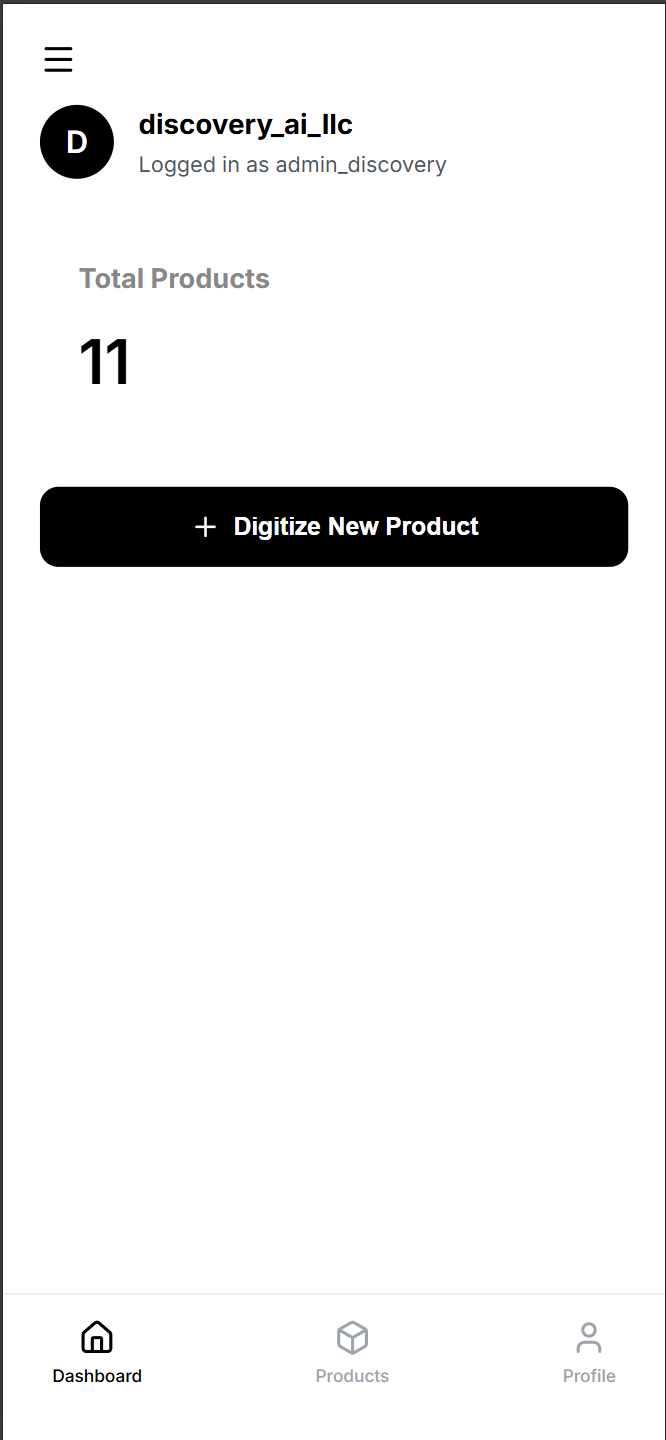
    After login, you will see your store area with your store name and account username.

    Main Navigation

    • Dashboard
      • Shows your total product count.
      • Provides the Digitize New Product button.
    • RugSnap dashboard overview
      Dashboard overview
    • Products
      • Shows your product list.
      • Lets you search, filter by status, open products, and export published products.
    • Profile
      • Shows store/account information.
      • Provides Resync Products if images or product data need to refresh locally.
      • Provides Sign Out.

    Product Statuses

    • Draft — The product is still being prepared. The readiness checklist may still have missing items.
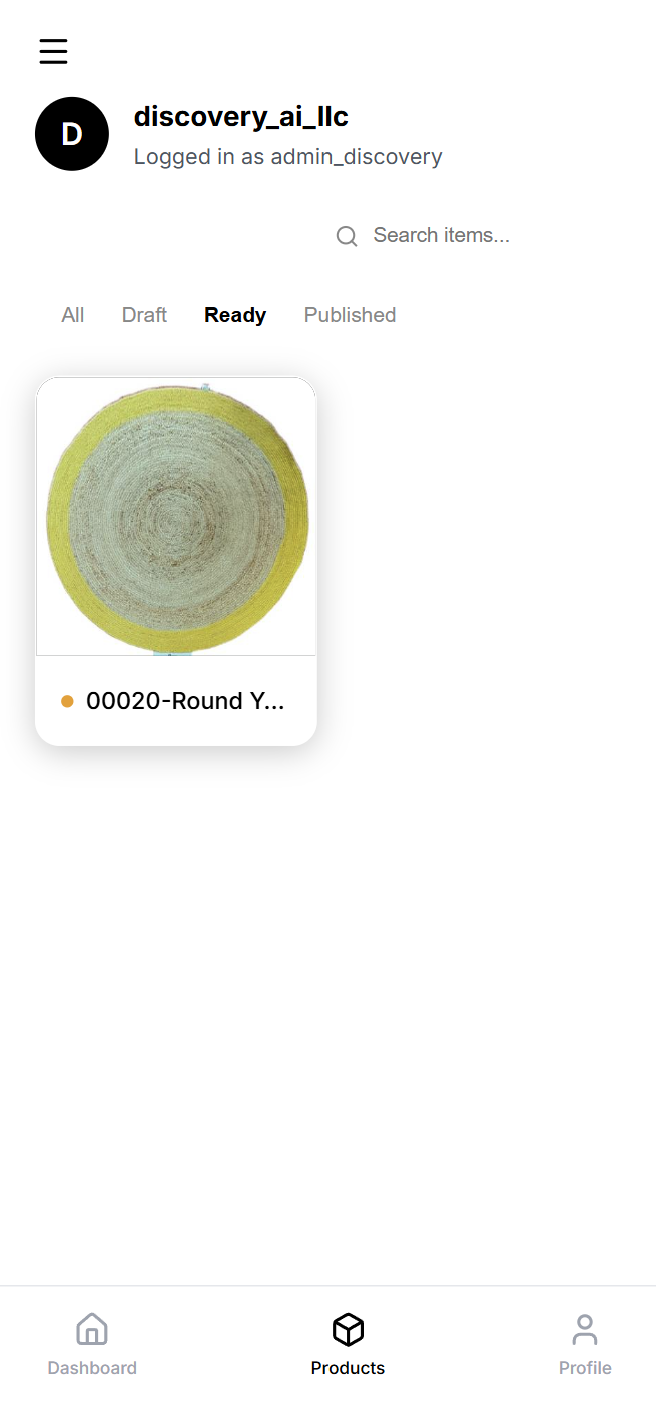
    • Ready — All required checks have passed. The product is ready to publish.
    • Published — The product has public image links. You can export a Shopify CSV. You can unpublish if needed.

    3 Digitize a New Rug From the Home Dashboard

    Use this flow when you are adding a rug to RugSnap for the first time.

    Photo Guidelines for Best Results

    📸 Photo Tips:
    • Even Lighting: Make sure the lighting is bright and even across the rug to avoid harsh shadows.
    • Good Angles: Avoid taking pictures from very low or extreme side angles. The full rug should be visible and flat.
    • Steady Camera: Keep the camera steady to ensure the rug outline is clear and in focus.
    • Calibration Card: If using the official Discovery calibration card, place it on the floor a few inches from the rug (not touching). Position it closer to the camera than the rug.
    • No Card? No Problem: If you skip the card, just make sure the entire rug is 100% visible and perfectly in focus. We currently support rectangle and square rugs; you will be prompted to enter L x W during processing.
    • Product-Page Photos: For the manual photos, include views that help buyers: a full rug shot, texture close-up, corner detail, backing, fringe, and a styled room context.

    Step 1: Start a New Product

    1. Go to the Dashboard tab.
    2. Select Digitize New Product.
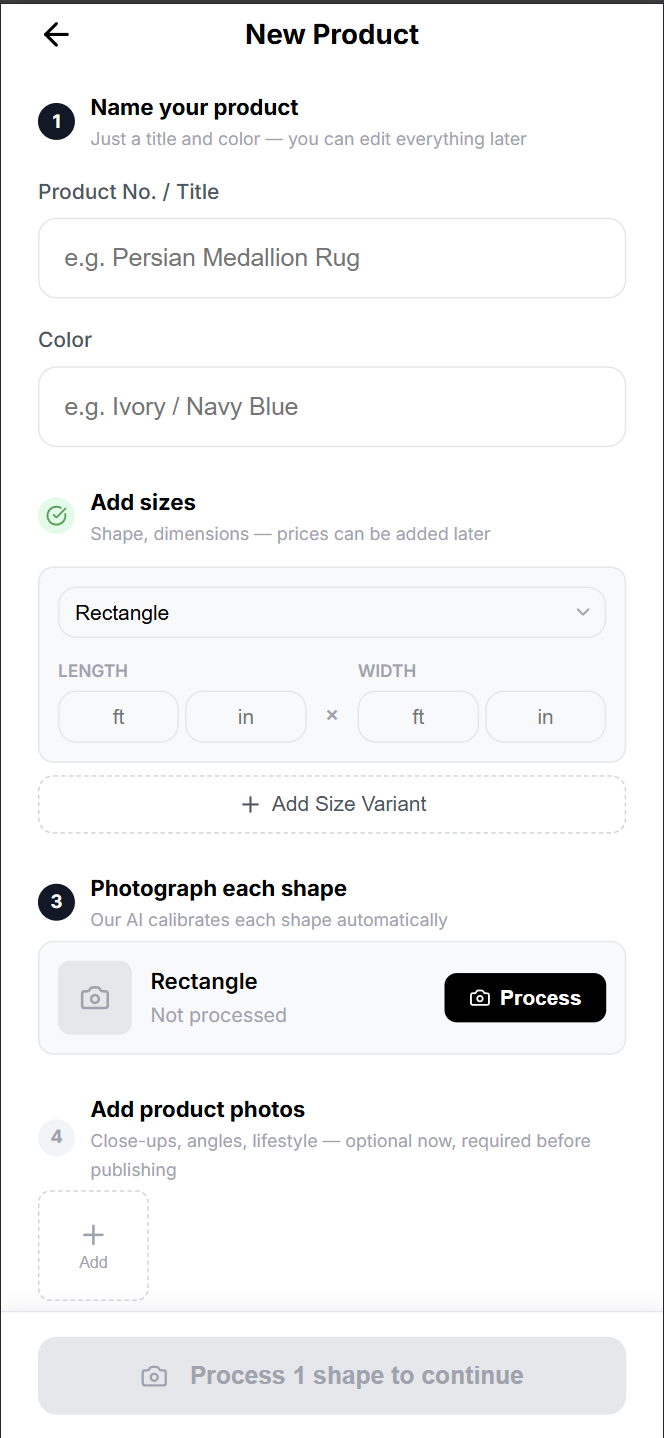
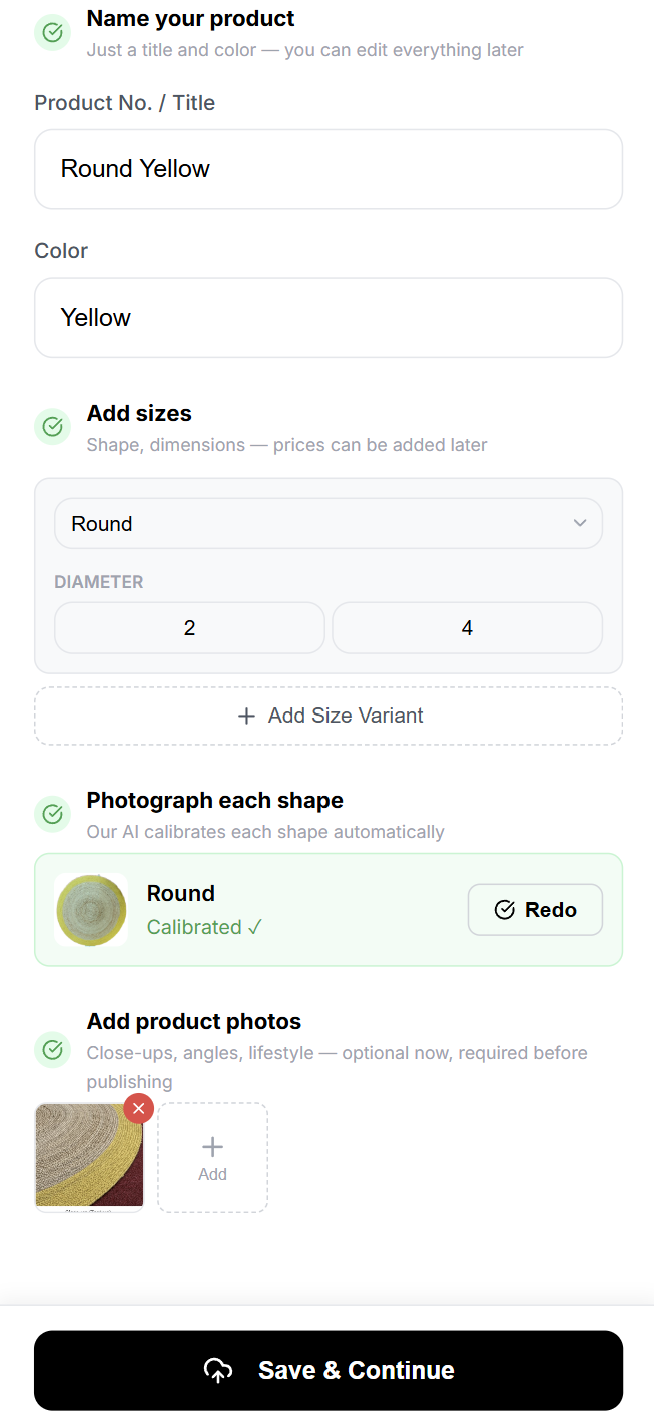
    3. RugSnap opens the New Product screen.
    New product
    New product

    Step 2: Name Your Product

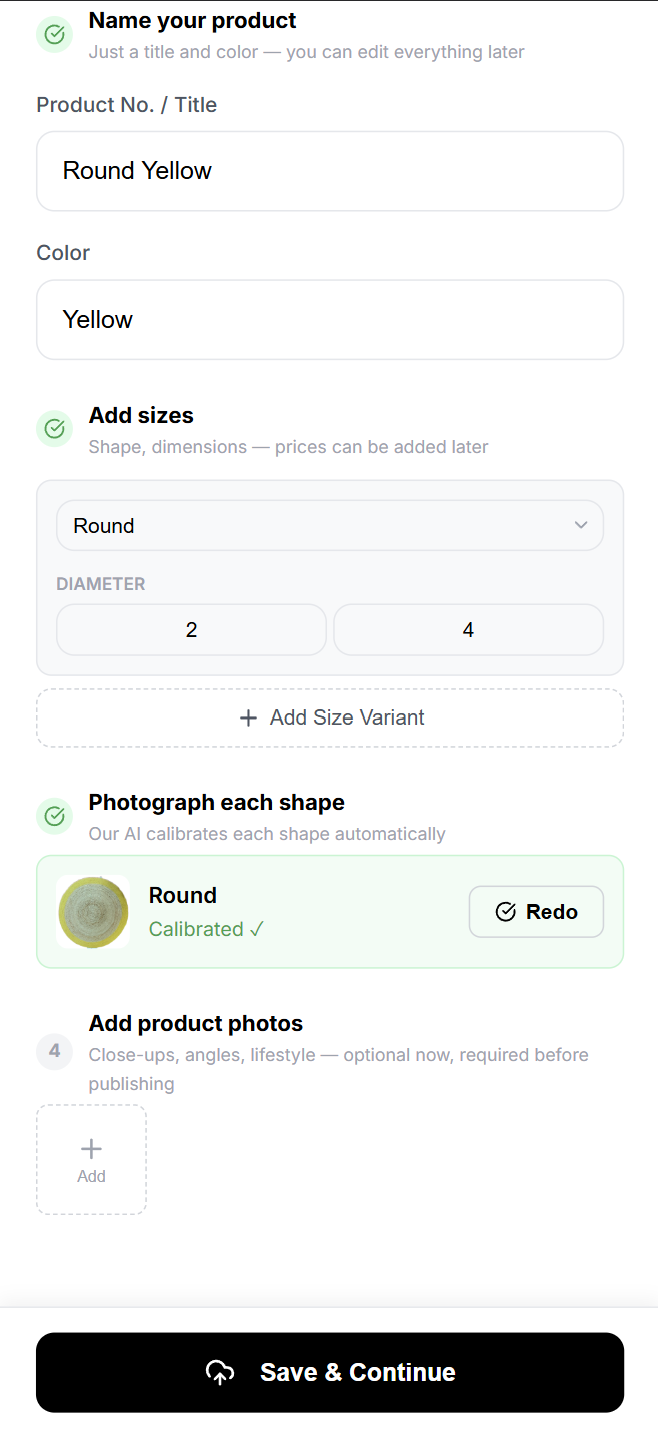
    1. In Product No. / Title, enter the rug’s product number or display title.
      • Example: Persian Medallion Rug
      • Use the name your team wants to recognize internally and review later.
    2. In Color, enter the primary color description.
      • Example: Ivory / Navy Blue
    3. Keep the title and color accurate; they are used later when preparing the listing.

    Step 3: Add Size Variants

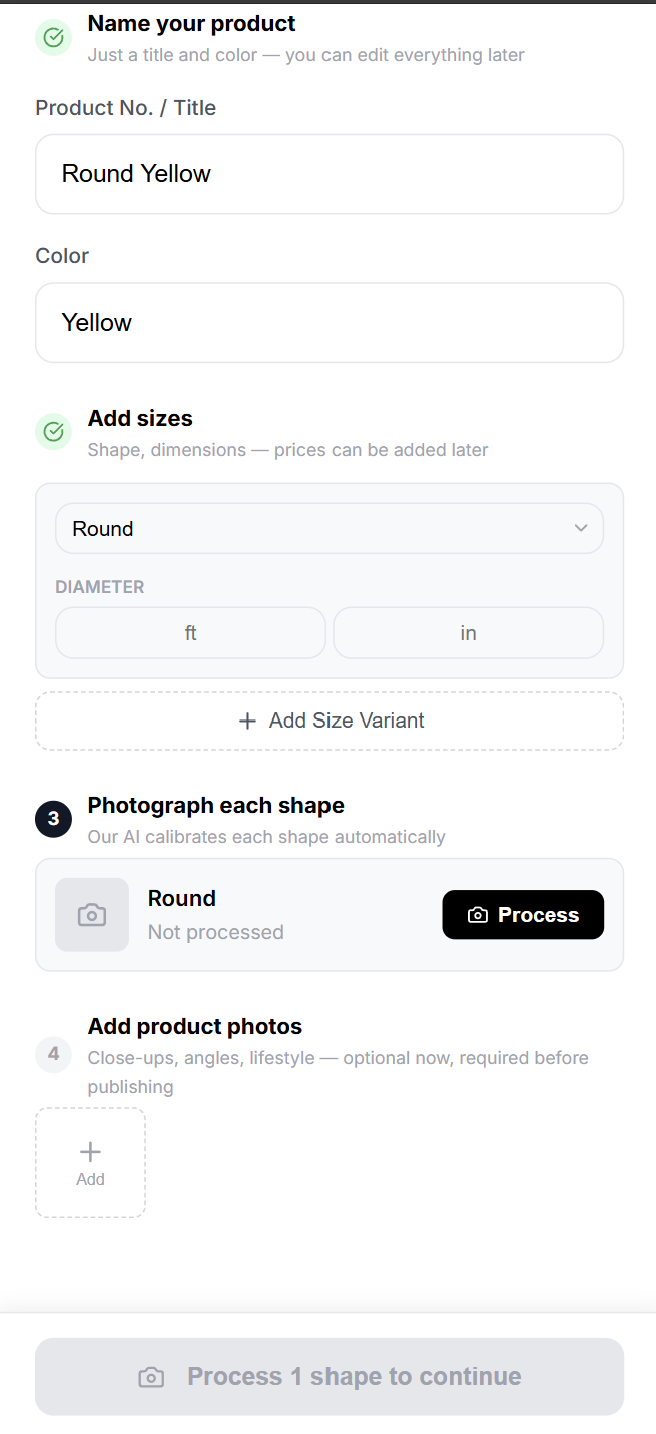
    1. In Add sizes, choose the correct rug Shape.
    2. Enter dimensions in feet and inches.
    3. Use the + button to Add Size Variant if the same product is available in more than one size or shape.
    4. Repeat until all available sizes are listed.
    Add size variants
    Add size variants

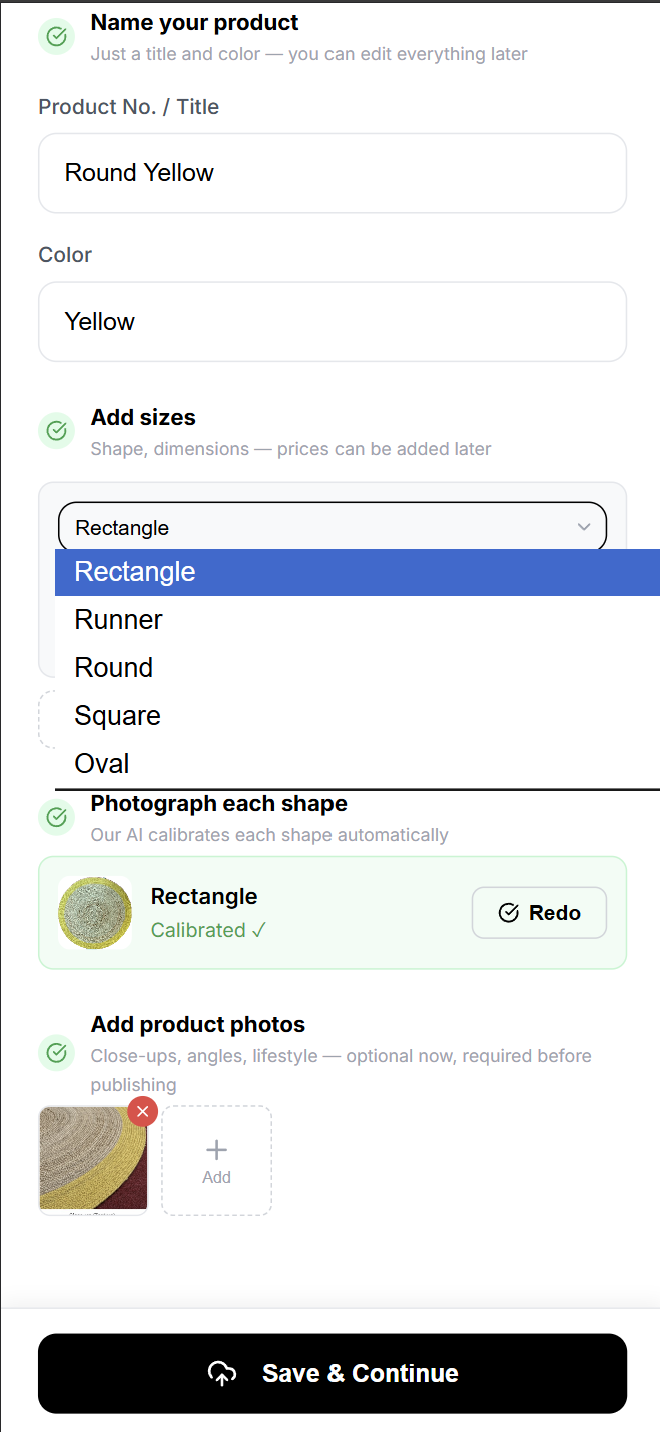
    Supported Shapes

    Rectangle · Runner · Round · Square · Oval

    Shape selection dropdown
    Shape selection dropdown

    Dimension Guidance by Shape

    • Rectangle / Runner — Enter length and width.
    • Round — Enter diameter.
    • Square — Enter one side length.
    • Oval — Enter long side and short side.

    Step 4: Photograph and Process Each Shape

    RugSnap asks you to process one Hero photo for each unique shape in your variants. Follow the Photo Guidelines for best results.

    RugSnap asks you to process one Hero photo for each unique shape in your variants.

    Photo Guidelines for Best Results

    📸 Photo Tips:
    • Even Lighting: Make sure the lighting is bright and even across the rug to avoid harsh shadows.
    • Good Angles: Avoid taking pictures from very low or extreme side angles. The full rug should be visible and flat.
    • Steady Camera: Keep the camera steady to ensure the rug outline is clear and in focus.
    • Calibration Card: If using the official Discovery calibration card, place it on the floor a few inches from the rug (not touching). Position it closer to the camera than the rug.
    • No Card? No Problem: If you skip the card, just make sure the entire rug is 100% visible and perfectly in focus. We currently support rectangle and square rugs; you will be prompted to enter L x W during processing.
    • Product-Page Photos: For the manual photos, include views that help buyers: a full rug shot, texture close-up, corner detail, backing, fringe, and a styled room context.
    1. Go to Photograph each shape.
    2. For each shape marked Not processed, select Process.
    Process shape
    Not processed status
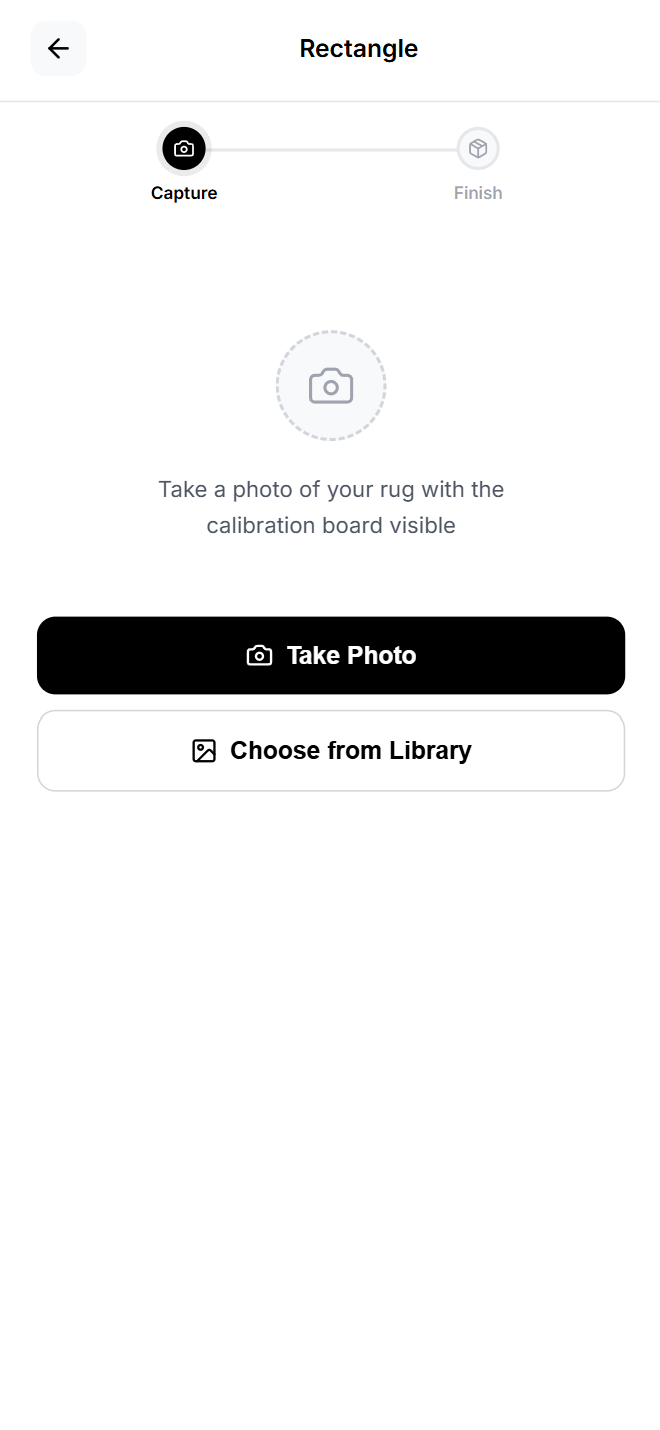
    1. Upload or capture the product photo when prompted.
    2. Take photo modal
      Take photo modal
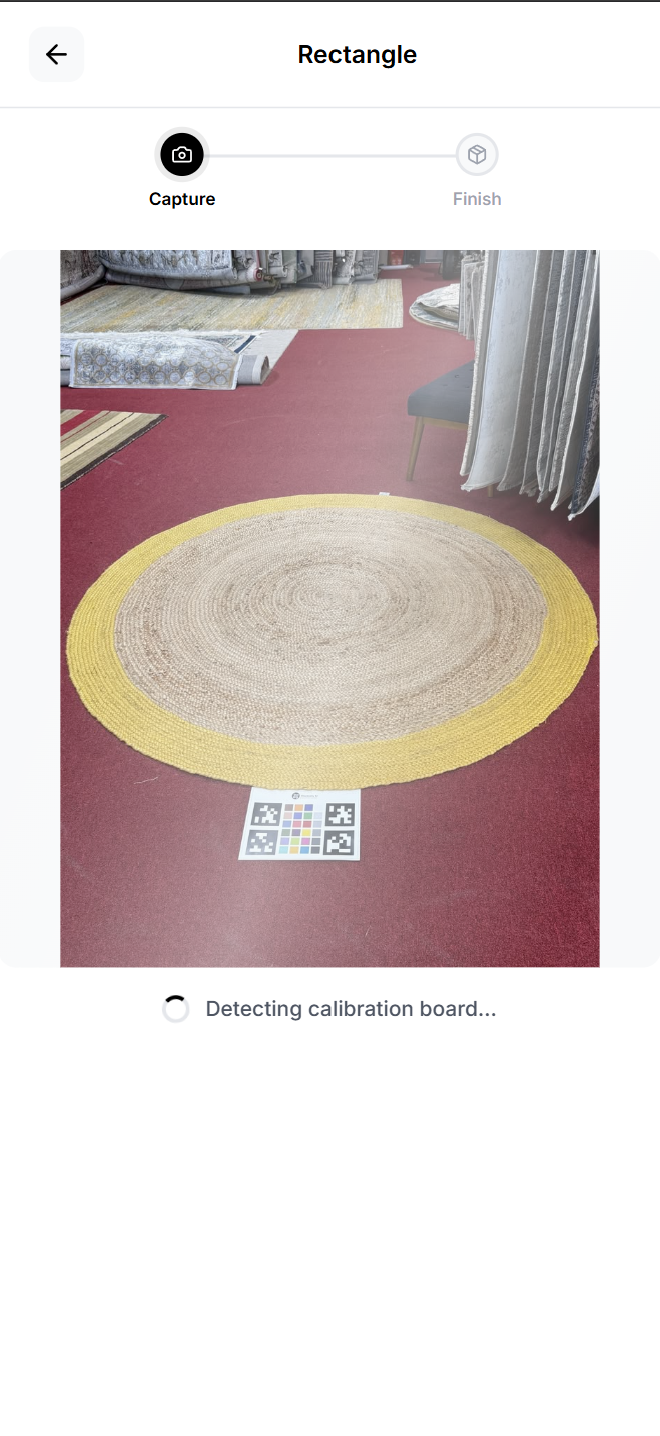
    3. Wait while RugSnap processes the image. This may take a few seconds.
      • You may see messages such as detecting, calibrating, generating, or finishing.
      • Do not close the browser or go back while processing is active.
    Image processing in progress
    Processing in progress
    1. When the master asset is saved, RugSnap shows Saved!
    2. You’ll Return back to the main Product Details screen.
    3. Repeat until every required shape says Calibrated ✓
    All shapes calibrated
    All shapes calibrated ✓

    Step 5: Redo a Master Photo if Needed

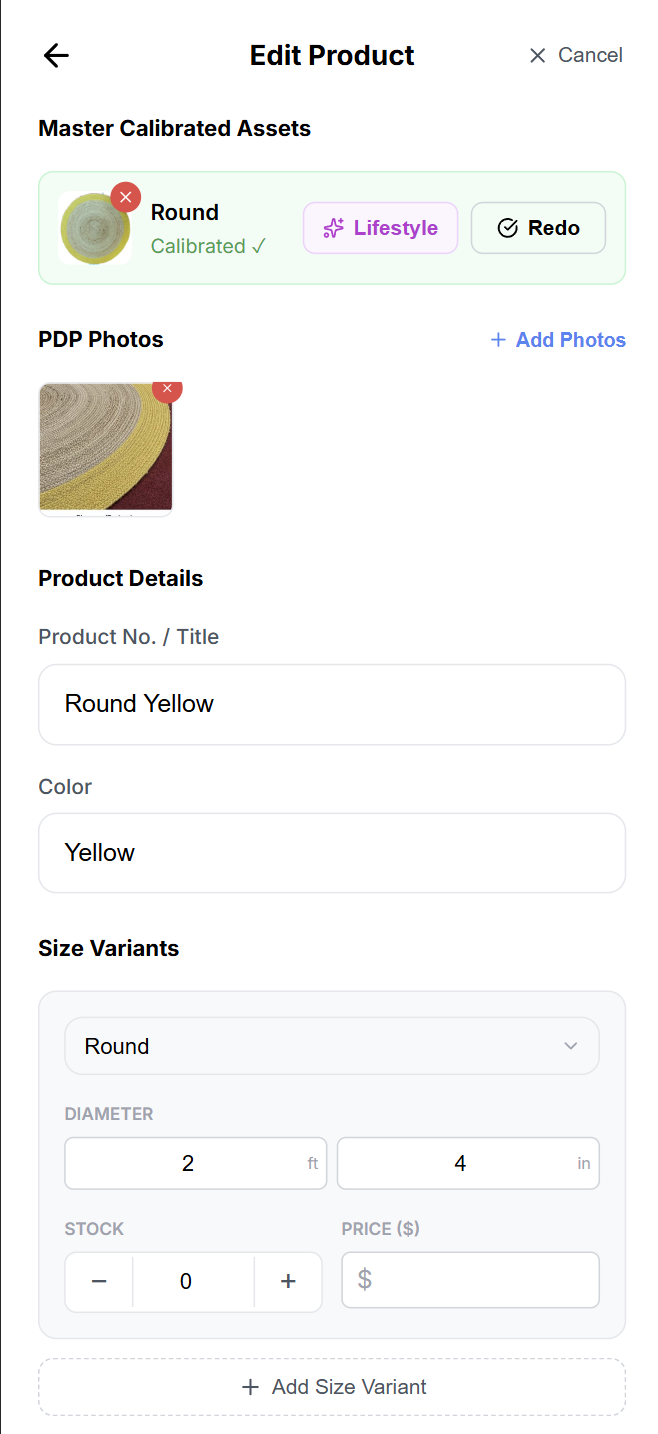
    1. If a processed master photo does not look right, select Redo for that shape.
    2. Capture or upload a better photo.
    3. Wait for processing to complete again.
    4. Confirm the shape returns to Calibrated ✓

    Step 6: Add Product-Page Photos

    Product-page photos help shoppers understand the rug beyond the master asset.

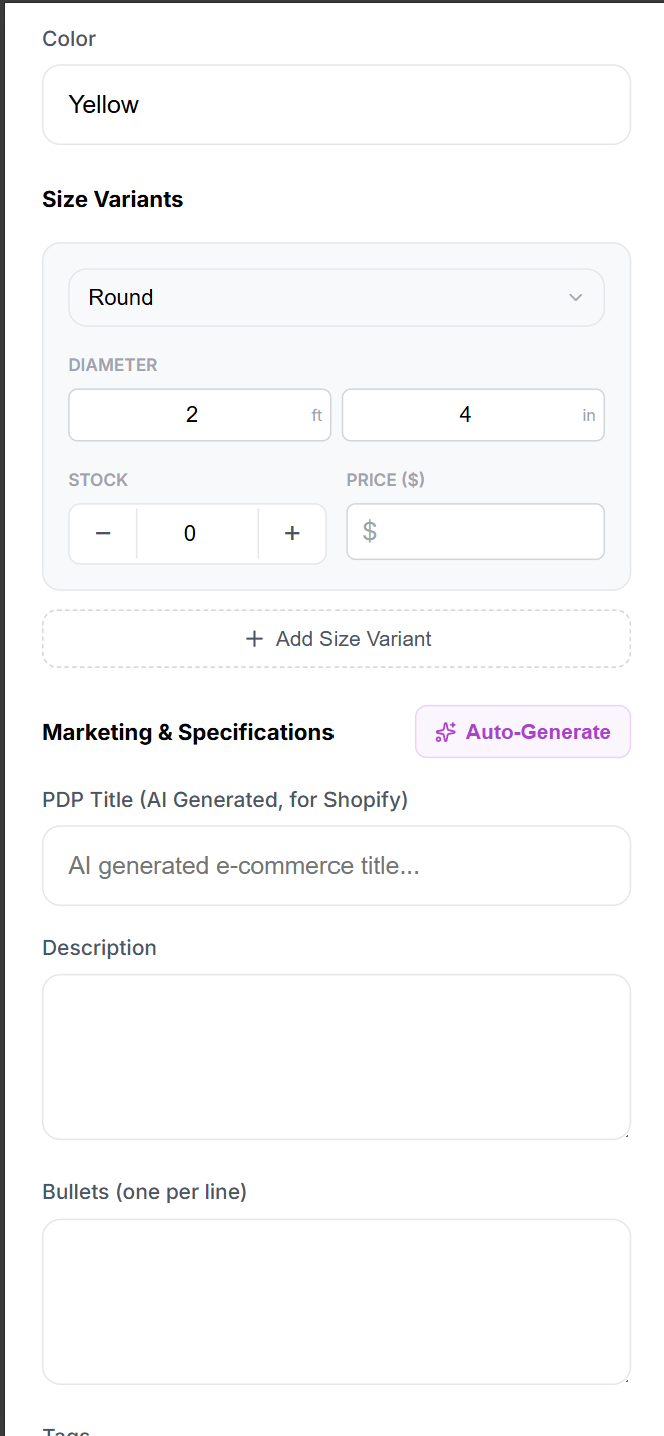
    1. Go to Add product photos.
    2. Select Add.
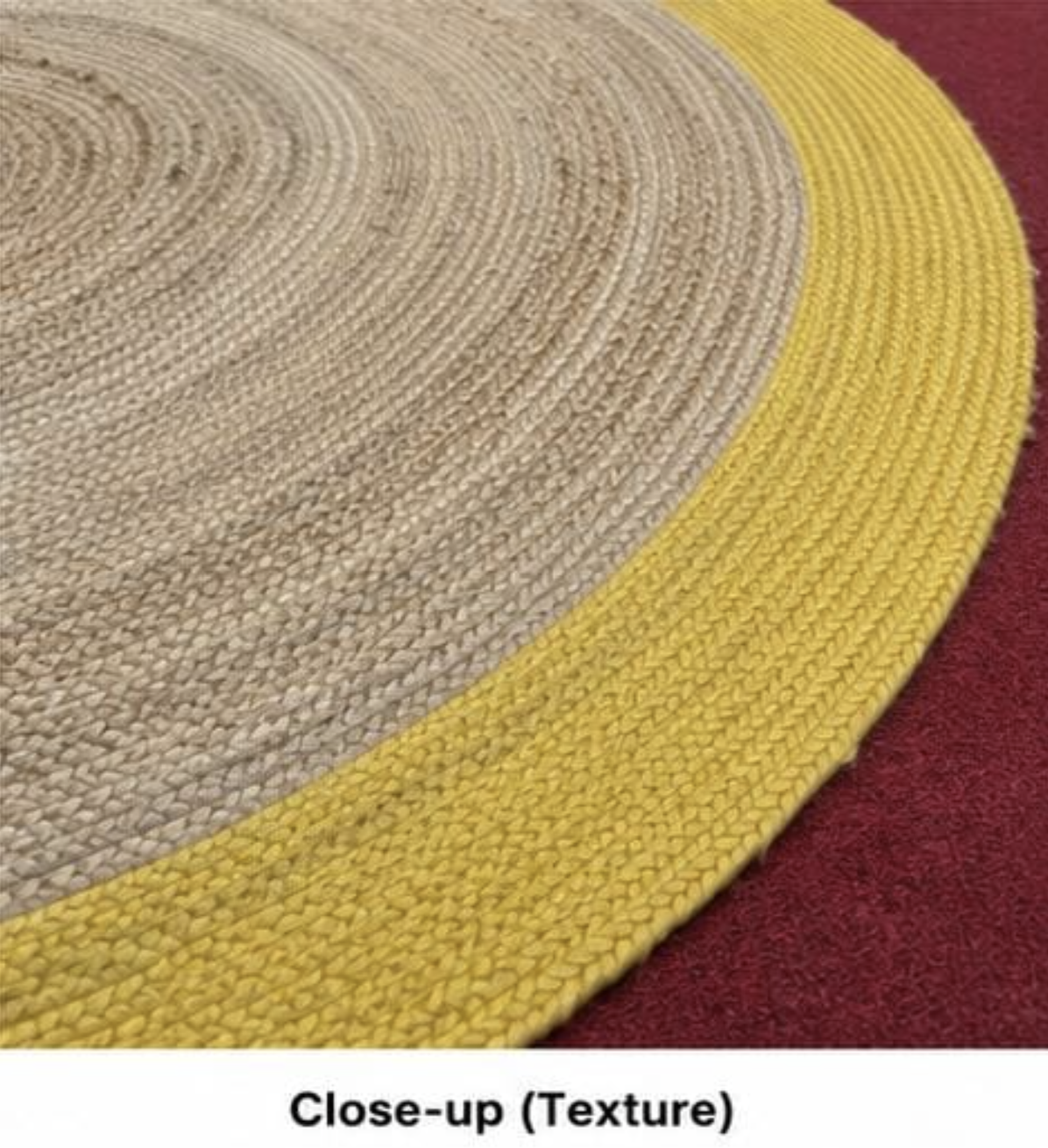
    3. Snap or upload at least 2 photos of the rug showing the texture and pile of a rug.
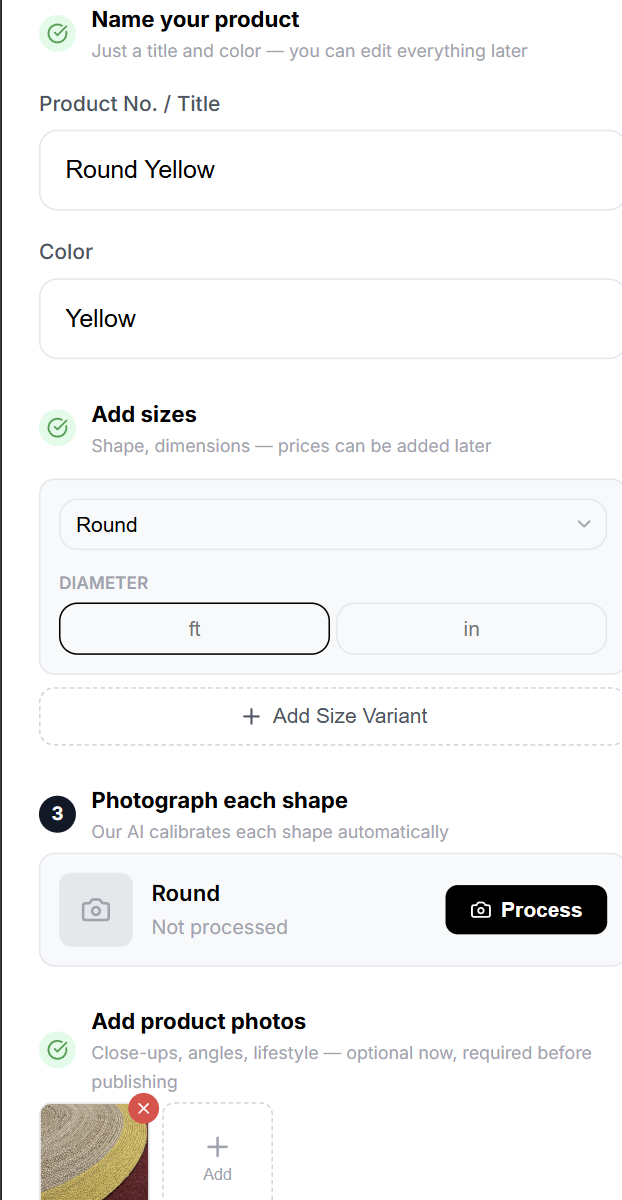
    Add product photos section
    Example Product Photos
    1. Add useful photos such as: full rug view, texture close-up, edge or fringe detail, corner detail, backing or weave photo, room or showroom view.
    Product photos uploaded
    Product photos uploaded
    1. Remove any incorrect photo using the small delete button on the photo thumbnail.
    Note: Product-page photos and AI Generative product descriptions and lifestyle images are optional during initial save, but required before publishing.

    Step 7: Save the New Product

    1. Confirm all needed shapes show Calibrated ✓
    2. Select Save & Continue.
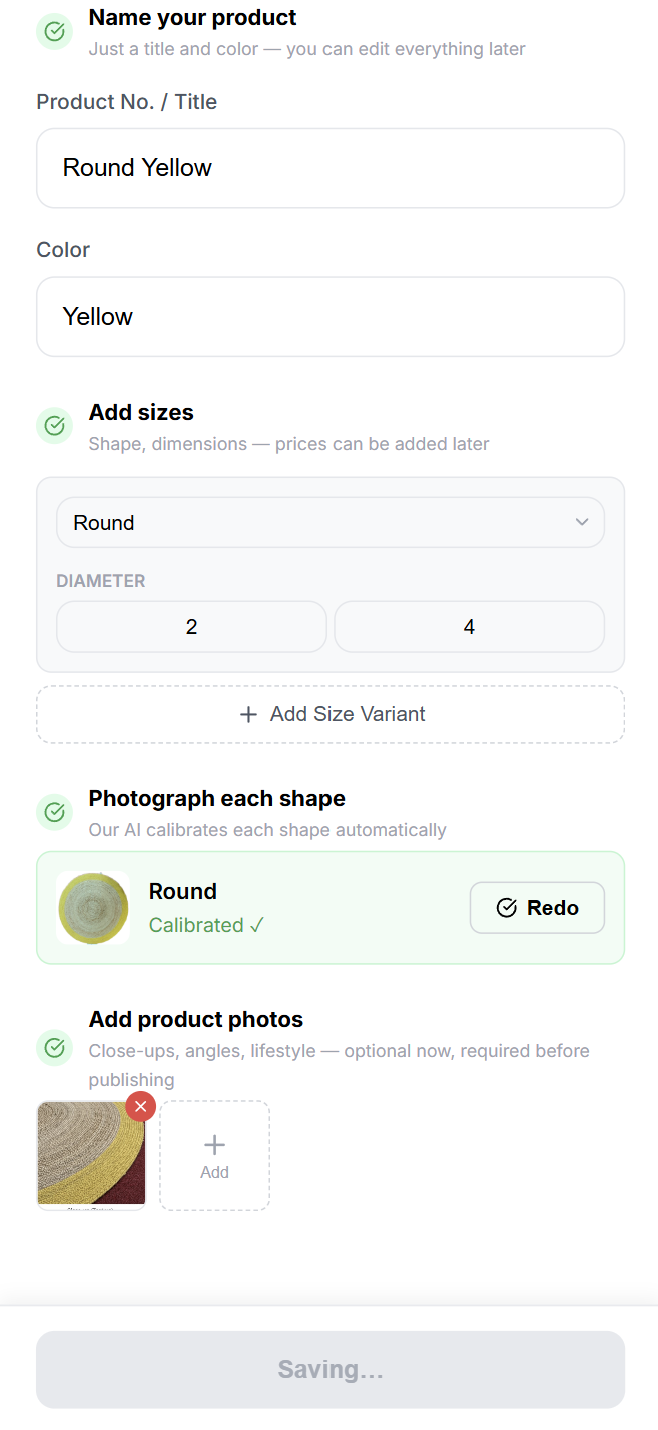
    3. Wait until RugSnap shows the product was saved and opens the product detail page.
    Save and continue
    Save & Continue

    4 Complete the Product Detail Page

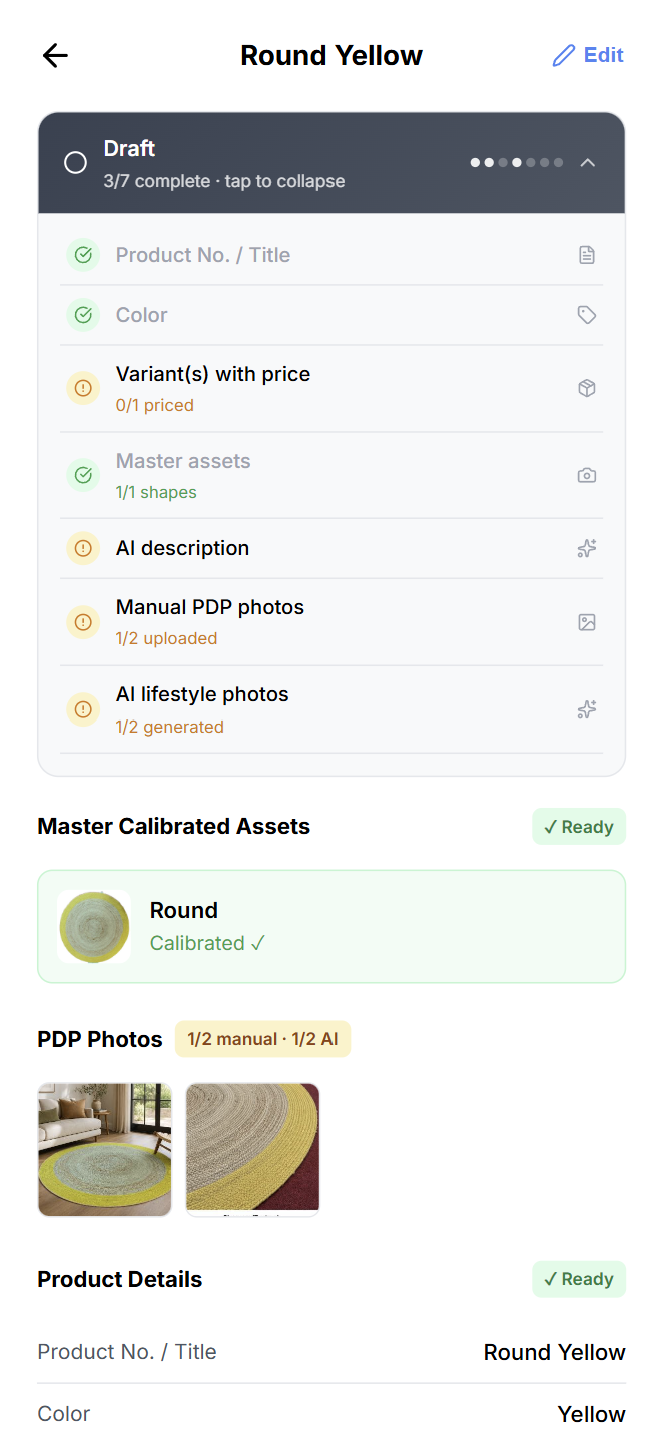
    The product detail page is where you review all assets, finish listing information, check publish readiness, and publish.

    Product detail page overview
    Product detail page overview

    Step 1: Review the Readiness Tracker

    At the top of the product detail page, RugSnap shows a status area.

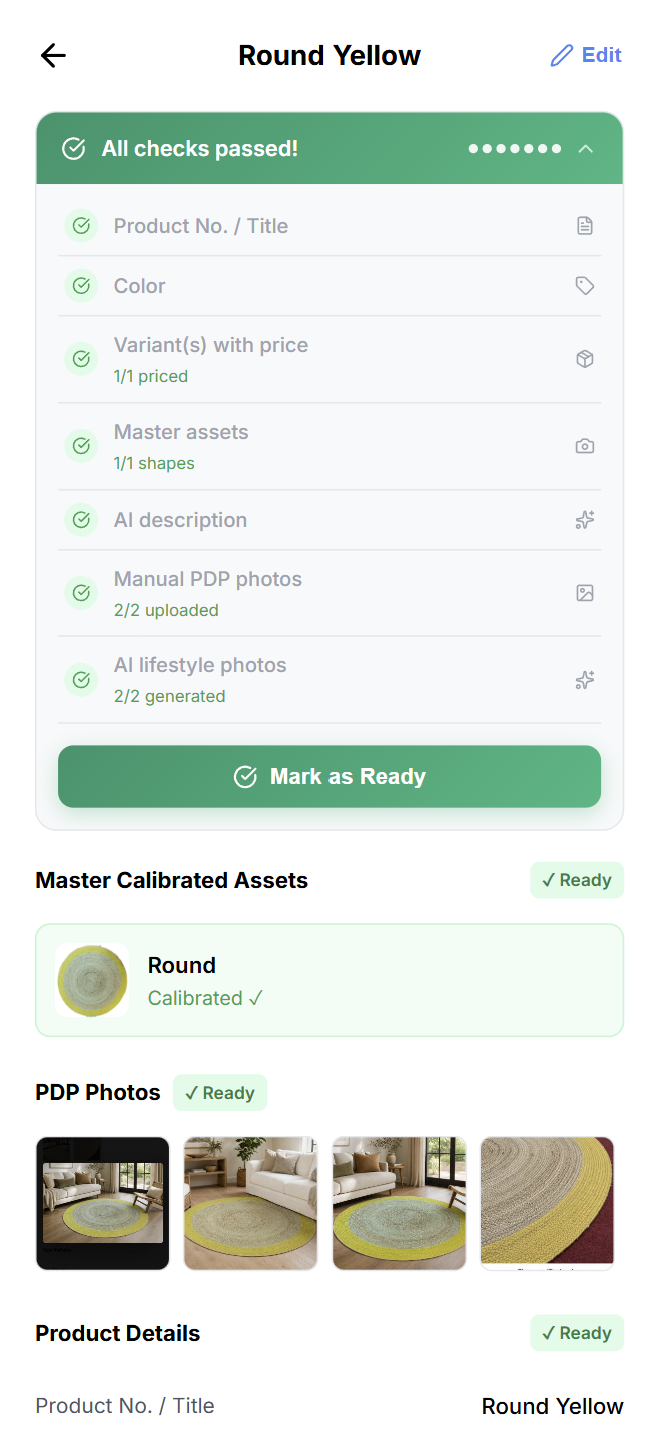
    1. If the product is still a Draft, tap the status area to expand the readiness checklist.
    2. Review each required item.
    3. Complete any missing items before marking the product ready.
    Product detail page overview
    Readiness checklist expanded

    Publishing Readiness Checklist

    A product is ready when the following items are complete:

    1. Product No. / Title
    2. Color
    3. Variant(s) with price
    4. Master assets for all shapes
    5. AI description
    6. Manual PDP photos (at least 2)
    7. AI lifestyle photos (at least 2)

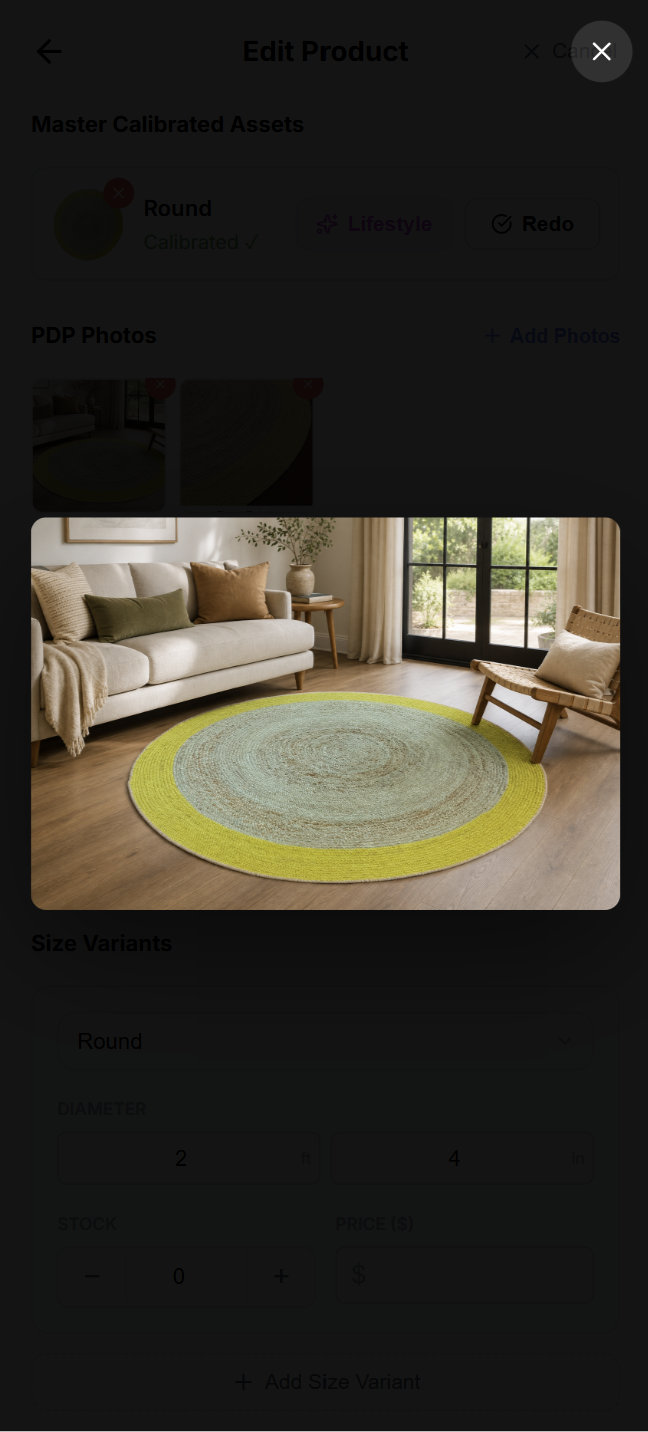
    Step 2: Generate AI Lifestyle Photos

    1. Select ✏️Edit Mode on the top of the page. if not enabled
    2. Go to Master Calibrated Assets.
    3. Find the master asset you want to use.
    4. Select Lifestyle.
    5. The lifestyle image will be generated – Our image generation pipeline will auto save this for you.
    6. Repeat until you have at least two AI lifestyle photos.
    7. Review the photos and delete any you do not want to use.
    Master calibrated assets with lifestyle option
    Example of generated Lifestyle image

    Step 3: Add Price and Stock

    1. In Size Variants, review every listed size.
    2. Enter Stock for each variant.
      • Use the plus and minus controls when convenient.
    3. Enter Price ($) for each variant.
    4. Select Save Changes if RugSnap shows the save button.

    Step 4: Add or Generate Marketing Details

    1. Select Edit at the top of the product detail page.
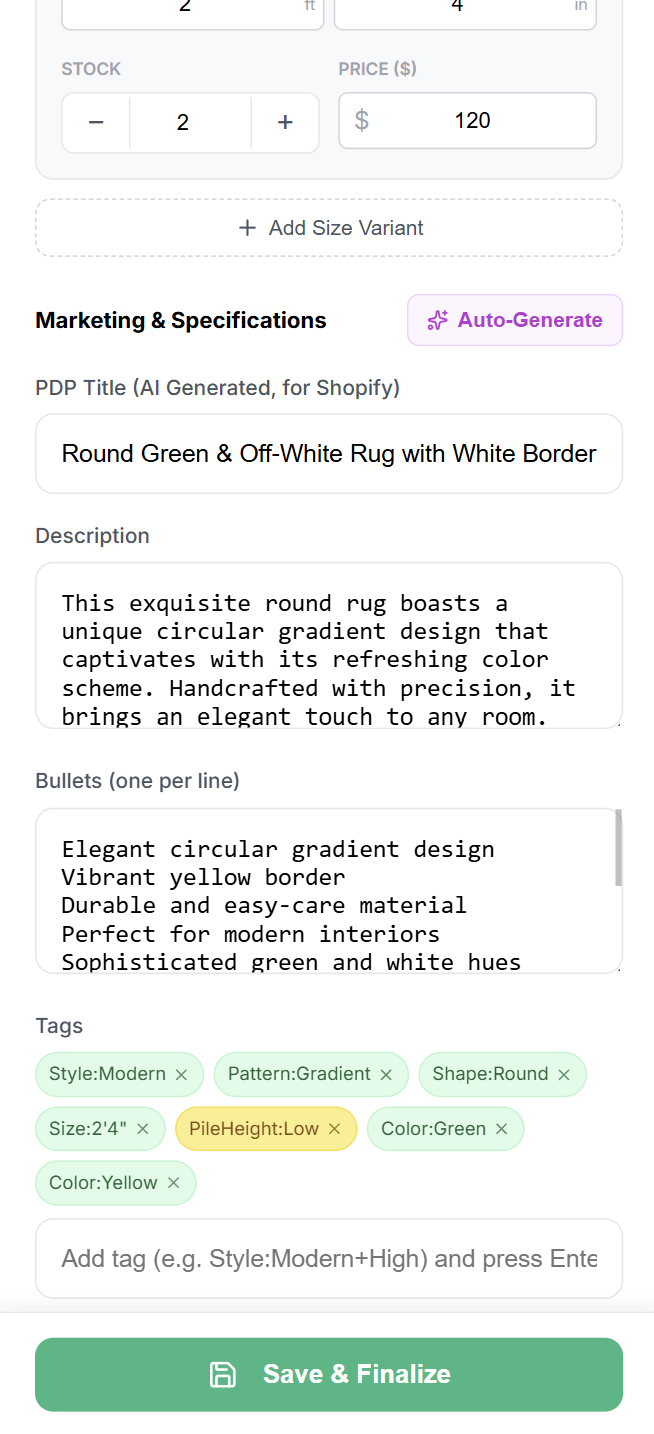
    2. Go to Marketing & Specifications.
    3. Select Auto-Generate to create listing content from the product information and master photos.
    Auto-generate marketing content
    Auto-Generate Marketing Details
    1. Review the generated content carefully.
    Save and finalize marketing content
    Generated marketing content preview
    1. Edit the following fields as needed:
      • PDP Title for the Shopify product page.
      • Description.
      • Bullets, one bullet per line.
      • Tags.
      • Fields, such as style, material, construction, pattern, pile, or origin if available.
    2. Select Save & Finalize after reviewing and editing.
    Save and finalize marketing content
    Save & Finalize

    Step 5: Add More PDP Photos Later

    1. Select Edit at the top of the product detail page.
    2. Go to PDP Photos.
    3. Select Add Photos.
    4. Upload additional product-page images.
    5. Delete any unwanted photo if needed.
    6. Save your changes if prompted.

    Step 6: Mark the Product as Ready

    1. Confirm every checklist item is complete.
    2. When the product passes all checks, select Mark as Ready.
    3. The status changes from Draft to Ready to Publish.
    Mark as ready button
    Mark as Ready

    Step 7: Publish to Shopify

    1. When the product status is Ready to Publish, select Publish to Shopify.
    2. Review the confirmation message.
    3. Select Confirm.
    4. Wait for publishing to finish.
    5. After publishing, the product status changes to Published.
    6. RugSnap shows public images when they are available.
    Published product confirmation
    Published product confirmation
    Important: Publishing does not automatically make the product live on your Shopify store. This step generates public image links and makes the product’s data ready for export to a Shopify CSV file. You will still need to import the CSV into Shopify.

    Step 8: Export the Shopify CSV

    You can export a CSV for one product or for multiple published products.

    Export One Product

    1. Open the published product detail page.
    2. Select Export CSV.
    3. Download the generated Shopify CSV file.
    4. Import or share the CSV according to your store’s Shopify process.

    Export Multiple Published Products

    1. Go to the Products tab.
    2. Select the Published status filter.
    3. Select individual products or use Select All on Page.
    4. Select Export Shopify CSV.
    5. Download the generated CSV file.

    5 Edit an Existing Product and Republish

    Use this flow when a rug listing needs new details, new photos, corrected pricing, or replacement master images.

    Step 1: Find the Product

    1. Go to the Products tab.
    2. Use Search items… to search by product ID or product name.
    3. Use status filters if needed:
      • All to see everything.
      • Draft for unfinished products.
      • Ready for products ready to publish.
      • Published for already published products.
    4. Open the product card.

    Step 2: Enter Edit Mode

    1. On the product detail page, select Edit.
    2. Update any required section.
    Edit mode
    Edit mode

    Step 3: Edit Product Details

    1. Change Product No. / Title if needed.
    2. Change Color if needed.
    3. Review that the revised information is customer-friendly and consistent with store naming standards.

    Step 4: Edit Size Variants, Price, and Stock

    1. Update the shape or dimensions if there was an entry mistake.
    2. Add a new size using Add Size Variant.
    3. Remove an incorrect size variant when allowed.
    4. Update Stock.
    5. Update Price ($).
    6. Save the changes.

    Step 5: Replace or Redo Master Assets

    1. In Master Calibrated Assets, find the shape that needs a new image.
    2. Select Redo.
    3. Upload or capture the corrected rug photo.
    4. Wait until processing finishes and the item shows Calibrated ✓

    Step 6: Update PDP Photos

    1. In PDP Photos, select Add Photos to upload new images.
    2. Delete outdated or incorrect photos.
    3. Keep at least two good manual PDP photos before publishing.

    Step 7: Refresh Marketing Content

    1. In Marketing & Specifications, select Auto-Generate if major product details or images changed.
    2. Review the generated content.
    3. Edit PDP title, description, bullets, tags, and fields as needed.
    4. Select Save & Finalize.

    Step 8: Republish

    1. If the product is in Draft, complete the readiness checklist and select Mark as Ready.
    2. If the product is Ready, select Publish to Shopify.
    3. Confirm publishing.
    4. Export a fresh Shopify CSV if your Shopify import process requires the latest public image URLs and product data.
    Best practice: After any important edit, download a new CSV so Shopify receives the most current product information.

    6 Unpublish a Product

    Use unpublish when an item should no longer remain in the published export set, public images should be removed from the public publishing bucket, or the product needs to return to draft for correction.

    Step 1: Open the Published Product

    1. Go to the Products tab.
    2. Select the Published filter.
    3. Open the product you want to unpublish.

    Step 2: Select Unpublish

    1. On the product detail page, find the published actions.
    2. Select Unpublish.
    3. Read the confirmation message.
    4. Confirm only if you are sure.

    Step 3: Confirm the Product Returned to Draft

    1. After unpublishing, the product returns to Draft status.
    2. Public published images are removed from the public publishing location.
    3. You can edit the product, complete the checklist again, mark it ready, and publish it later.

    7 Other Everyday RugSnap Flows

    Search for a Product

    1. Go to Products.
    2. Use the search box labeled Search items…
    3. Enter the product number, title, or ID you recognize.
    4. Open the matching product card.

    Filter Products by Status

    1. Go to Products.
    2. Choose one of the status filters (All, Draft, Ready, Published).
    3. Use filters to focus your work queue.

    Resync Products

    1. Go to Profile.
    2. Select Resync Products.
    3. RugSnap clears the local image cache and refreshes product data.
    4. Use this if images appear outdated or the product list does not look current.

    Sign Out

    1. Go to Profile.
    2. Select Sign Out.
    3. RugSnap returns to the login screen.

    8 Recommended Store Workflow

    For best results, use RugSnap in this order:

    1. Create the product — Add title, color, all size variants.
    2. Process master images — Process every unique shape. Redo any photo that does not look clean.
    3. Add PDP photos — Upload at least two manual product-page photos. Add close-ups and details for buyer confidence.
    4. Complete commercial details — Add stock, add price.
    5. Generate marketing content — Use Auto-Generate. Review and edit the content.
    6. Generate lifestyle images — Create at least two AI lifestyle photos. Remove any image that does not match your selling standards.
    7. Mark as ready — Check all readiness items. Select Mark as Ready.
    8. Publish — Confirm publish. Export the Shopify CSV.
    9. Review in Shopify — Import the CSV. Confirm title, images, variants, price, and stock before making the listing live to shoppers.

    9 Quality Checklist Before Publishing

    Use this checklist before selecting Publish to Shopify:

    • Product title is correct.
    • Color is correct and customer-friendly.
    • Every size variant is listed.
    • Dimensions are accurate.
    • Every variant has a price.
    • Stock values are correct.
    • Every required shape has a calibrated master asset.
    • At least two manual PDP photos are uploaded.
    • At least two AI lifestyle photos are generated and approved.
    • Description is accurate.
    • Bullets are clear and helpful.
    • Tags and fields are relevant.
    • No incorrect or duplicate photos remain.
    • Product status shows Ready to Publish before final publishing.

    10 Troubleshooting and Best Practices

    Common Mistakes to Avoid
    • Closing the browser while an image is processing.
    • Forgetting to add a price or stock quantity for every size variant.
    • Uploading fewer than two manual PDP (product detail page) photos.
    • Forgetting to generate and approve at least two AI lifestyle images.
    • Taking a master photo where the rug is partially cut off.
    • Forgetting to export a fresh Shopify CSV after making edits to a published product.

    If Processing Seems Slow

    1. Stay on the page.
    2. Wait for the current processing message to complete.
    3. If RugSnap says the servers are still waking up, select Try Again.
    4. Do not repeatedly refresh during processing.

    If You Need to Go Back During Processing

    ⚠️ Caution: RugSnap may warn that processing is in progress. Only go back if you are okay losing the current in-progress processing result. If you accidentally cancel, restart the process for that shape.

    If a Product Cannot Be Marked Ready

    1. Open the readiness checklist.
    2. Complete each missing item.
    3. Common missing items include:
      • Price on one or more variants
      • Missing manual PDP photos
      • Missing AI lifestyle photos
      • Missing description
      • Missing master asset for one shape

    If Images Look Outdated

    1. Go to Profile.
    2. Select Resync Products.
    3. Refresh and reopen the product.

    If You Published by Mistake

    1. Open the published product.
    2. Select Unpublish.
    3. Confirm the action.
    4. Make corrections in Draft status.
    5. Mark as Ready and publish again when finished.

    Final Takeaway

    RugSnap is designed to help your team digitize rug inventory in a structured way: add the product, process master assets, enrich the listing with photos and AI-assisted content, complete the readiness checklist, publish, and export a Shopify-ready CSV. Follow the steps in this guide for every product so your digital catalog stays accurate, consistent, and ready for customers to shop.

  • Bring Your Rugs Online : Unlock Your Inventory in Minutes

    Bring Your Rugs Online : Unlock Your Inventory in Minutes

    The Digital Bottleneck Holding Rug Retailers Back:

    Every retail business has the potential to multiply its sales by establishing a robust digital footprint. In today’s omnichannel market, an online presence doesn’t just drive ecommerce—it substantially grows offline, in-store foot traffic as well.

    But for our primary customers—specialty rug retailers—making that digital leap is hindered by a massive bottleneck: digitizing physical inventory.

    Many showrooms have highly valuable, one-of-a-kind rugs sitting in floor stacks, remaining completely invisible and undiscoverable to online shoppers

    Why Digitizing a Rug Inventory Is Uniquely Difficult

    For a customer to feel confident buying a $1,000 piece of home décor online, they need to:

    • See intricate patterns clearly
    • Trust that the colors are perfectly accurate
    • Understand the true physical scale of the piece

    A standard smartphone photo simply cannot create a proper hero image. Without perfect lighting, overhead rigs, and color grading, a quick photo distorts the perspective, misrepresents the colors, and ultimately looks unprofessional to the end buyer.

    Currently, the traditional option is to hire a professional product photographer—a process that is expensive, time-consuming, and difficult to scale as showroom inventory rotates. We decided to fix this by building practical AI-native commerce infrastructure specifically engineered for rugs.

    The Solution: RugSnap Online

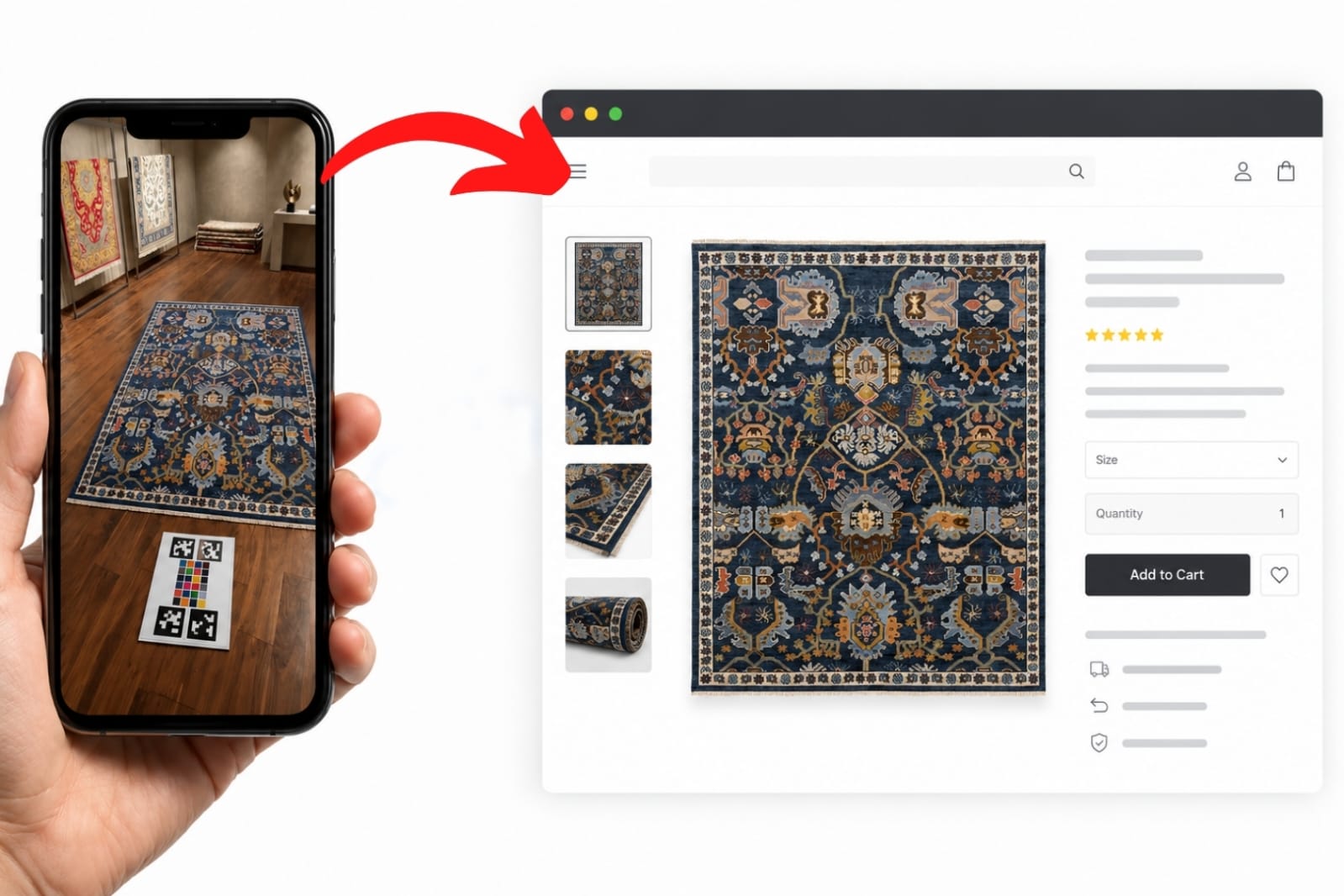
    To bridge the gap between physical inventory and digital demand, we developed RugSnap Online by Discovery-AI. It is a streamlined pipeline that reduces a complex studio photography process down to a single snap, enabling complete catalog digitization using a standard iPhone photo.

    The resulting hero images are color-accurate, and true-to-scale—comparable to the high-end assets produced by large-scale manufacturers like Oriental Weavers and Dynamic Rugs

    To achieve this, we use a physical anchor: Discovery-AI’s proprietary calibration card. Store owners simply place this board on the floor alongside the rug, take a photo, and our pipeline takes care of the rest.

    From a Single Photo to Structured Product Data

    The true power of RugSnap Online isn’t just in making pretty pictures; it’s in generating highly standardized, structured data that is ready to publish to Shopify or WooCommerce. From a single capture, our AI automatically:

    • Extracts precise physical dimensions and color profiles
    • Organizes sizes, materials, and styles
    • Generates SEO-ready product descriptions tailored to the unique characteristics of each piece
    • Prepares inventory for Google Merchant Center and other search channels

    This ensures that the foundational data behind your catalog is as robust as the imagery itself, capturing the “invisible” value on your showroom floor.

    AI Visual Shopping That Boosts Buyer Confidence

    Beyond structured data, the pipeline solves one of ecommerce’s biggest conversion hurdles: visual context. Our system automatically renders the digitized rug into stunning, hyper-realistic AI Visual Shopping lifestyle scenes.

    Instead of looking at a flat product on a blank background, shoppers see the rug grounded in a beautifully furnished room. This immersive imagery allows customers to intuitively grasp the rug’s true scale and aesthetic appeal. It dramatically boosts buyer confidence and sales conversions while completely eliminating the exorbitant costs and logistical nightmares of traditional physical staging.

    Seamlessly Compatible With Discovery-AI’s Visualizer

    These master assets are instantly compatible with Discovery-AI’s Visualizer capabilities. This empowers customers to seamlessly view a retailer’s exact inventory online, interact with it in-store, and preview how the rug looks inside their own homes before making a purchase.

    Whether the customer discovers the rug online and visits the store, or browses the showroom and completes the purchase at home, the transition is entirely frictionless.

    Professional Catalogs, No Longer Reserved for Industry Giants

    Independent rug and home décor retailers have valuable products, deep category knowledge, and strong customer relationships. What they often lack is the digital infrastructure available to much larger ecommerce businesses. Discovery-AI exists to help close that gap.

    We have eliminated the need for expensive studio rigs, complex Photoshop work, and dedicated photography teams. With RugSnap Online, professional digital catalogs—and the massive sales growth that comes with them—are no longer reserved exclusively for the giants of the industry.

    Want to See How Discovery-AI Can Help Your Rug Store?

    If you want to bring more showroom inventory online, improve product discovery, or strengthen your Shopify or WooCommerce experience, contact us to see a demo of our rug and home decor focused Simple AI tools that help convert.

  • Discovery-AI: Helping Rug Retailers Grow Through Better Digital Discovery

    Discovery-AI: Helping Rug Retailers Grow Through Better Digital Discovery

    Discovery-AI was founded with a focused mission: help specialty retailers bring more products online, improve how customers discover them, and turn digital traffic into meaningful business growth.

    We are starting with rugs because the category is especially complex. Rug retailers often manage thousands of products across vendors, collections, colors, sizes, shapes, styles, materials, and price points. Much of that inventory can be difficult to publish, maintain, search, and promote effectively online.

    Our longer-term mission is broader: build practical AI-native commerce and discovery infrastructure for rug and home décor retailers.

    Our Mission

    Our mission is to help specialty retailers compete and grow in an increasingly digital market without forcing them to become technology companies themselves.

    We focus on practical outcomes:

    • Bringing more showroom and vendor inventory online
    • Making products easier to search, browse, and discover
    • Improving recommendations and visual shopping
    • Keeping pricing and inventory information accurate
    • Supporting both ecommerce sales and showroom visits
    • Strengthening visibility across Google and other discovery platforms
    • Reducing the manual work required to manage large catalogs

    Discovery-AI brings together ecommerce, catalog intelligence, AI-powered product discovery, visual shopping, local growth, and service-growth tools.

    What We Build

    Discovery-AI brings together ecommerce, catalog intelligence, AI-powered product discovery, visual shopping, and local growth tools.

    Our solutions support both Shopify and WooCommerce, allowing retailers to improve an existing ecommerce operation or build a stronger digital foundation.

    RugSnap Online

    Many stores have valuable products on the showroom floor that customers cannot find online. Product information may exist only on tags, invoices, spreadsheets, vendor labels, or internal systems.

    RugSnap Online is Discovery-AI’s product for turning physical showroom inventory into structured, publishable ecommerce products.

    It helps retailers:

    • Capture product information from in-store inventory
    • Organize sizes, colors, materials, styles, and pricing
    • Match products with vendor and collection data
    • Prepare titles, descriptions, specifications, and images
    • Publish products to Shopify or WooCommerce
    • Make products searchable through Discovery-AI
    • Prepare inventory for Google Merchant Center and other channels

    The goal is simple: make products that are visible only inside the store discoverable online.

    AI Search and Product Discovery

    Rug shoppers rarely search by exact product name, SKU, or collection. They usually search by need, room, color, style, size, shape, material, or by looking for something similar to a rug they already like.

    One of the biggest issues is size search. A customer may search for “8×10,” but many rugs are listed as 7’10” × 10′, 7’9″ × 9’9″, 8’1″ × 10’2″, or other close variations. Basic ecommerce search can miss these matches, which means a store may already have the right rug but the customer never sees it.

    This can quietly cost stores both online and in-store sales. If shoppers cannot find the right rug online, they may assume the store does not carry it and move on before ever calling or visiting.

    Recommendations also matter because rug shopping is highly visual. If a customer likes one rug but needs a different size, color, price point, or similar style, showing relevant alternatives can keep them engaged instead of losing the visit.

    Discovery-AI helps rug retailers with rug-aware search, close-size matching, filtering, guided navigation, and recommendations so customers can find relevant products faster and move more easily from browsing to inquiry, showroom visit, or online purchase.

    Catalog and Vendor-Feed Intelligence

    Rug and home décor catalogs are often large, inconsistent, and constantly changing. Sizes, colors, materials, pricing, inventory, images, and variant structures may come from different vendors in different formats.

    This creates real business risk. If product data is incomplete, outdated, or poorly structured, customers may not find the right products, Google may not show them properly, and stores may accidentally promote or sell items with wrong price or inventory.

    Discovery-AI helps transform vendor data into structured, usable catalogs that can be published and maintained across Shopify, WooCommerce, search systems, Google Merchant Center, and other channels.

    This includes vendor-feed transformation, product and variant normalization, pricing and inventory updates, ecommerce publishing workflows, RugSnap Online product onboarding, product image management, search/recommendation preparation, and catalog quality control.

    AI Visual Shopping

    Rugs and home décor products are highly visual. Customers often need to understand how a rug may look in a room, how the scale feels, and whether the color and style fit their space before they feel confident enough to inquire, visit, or purchase.

    Many stores still rely mostly on flat product images, which can make it harder for customers to imagine the rug in a real home.

    Discovery-AI is developing visualizer, lifestyle image, and style-assistance experiences designed to make rug shopping more visual and easier to understand. The goal is to help customers evaluate products with more confidence while giving stores better ways to present their inventory online.

    AI Rug Shopping Assistant

    Rug shoppers often need help narrowing choices. They may know the room, size, color, budget, or style they want, but not the exact product, collection, or rug terminology.

    Discovery-AI is developing a rug-focused shopping assistant to help customers ask questions, compare options, discover similar rugs, and move from browsing to inquiry, showroom visit, or online purchase. Unlike a generic chat widget, the goal is to connect the assistant to rug-specific search, recommendations, product data, visual tools, and store workflows so it can guide customers through the actual rug shopping journey.

    Local, Omnichannel, and Service Growth

    Many specialty rug retailers depend on both ecommerce and showroom traffic. Customers may discover a rug online, compare options at home, call the store, ask a question, get directions, or visit the showroom before making a decision.

    Rug services are also an important growth opportunity. Cleaning, repair, restoration, padding, appraisals, and custom work often start with local search intent, but many stores do not present these services clearly enough online for customers to find, understand, and act on.

    Discovery-AI supports local, ecommerce, and service growth through Google Business Profile, Google Merchant Center, Apple Business Connect, local search visibility, service pages, product and promotional publishing, and calls/directions/showroom-visit support.

    The goal is not simply more traffic. It is better discovery that helps connect online shoppers and local customers to ecommerce purchases, qualified leads, service inquiries, and store visits.

    What Our Work Looks Like in Practice

    Discovery-AI works with rug retailers at different stages of digital maturity. Some already have an ecommerce website but need stronger product discovery, more reliable catalog operations, and better visibility. Others need help building the underlying ecommerce and product-data foundation before they can grow effectively online.

    Our work commonly includes:

    • Building or improving Shopify and WooCommerce stores
    • Bringing vendor and showroom inventory online
    • Structuring products, variants, sizes, colors, and collections
    • Improving rug-specific search, browsing, and recommendations
    • Connecting product catalogs with Google Merchant Center
    • Updating pricing and inventory information
    • Supporting local visibility, promotions, and showroom traffic
    • Preparing large multi-vendor assortments for scalable ecommerce
    • Connecting online product discovery with inquiries, store visits, and purchases

    The exact priorities vary by retailer. For one store, the immediate need may be fixing incomplete product data or outdated inventory. For another, it may be launching a new ecommerce site, improving local visibility, or helping shoppers discover suitable alternatives when the first rug they view is not the right size, style, color, or price.

    Early Results and Lessons

    Our work has already shown that a stronger digital foundation can create opportunities well beyond a retailer’s immediate local market.

    For one deeply integrated retail partner, Discovery-AI established the store’s Google Merchant Center presence and supported the catalog, ecommerce, product-discovery, and customer-experience improvements that followed. The store progressed from having no Merchant Center store-quality rating to “Great” and later to “Exceptional,” the highest rating displayed by Google.

    The same retailer also began receiving a substantial share of completed ecommerce revenue from customers outside its home state. This reinforced an important lesson: an independent rug showroom can serve both a local audience and a broader national market when its products are structured, discoverable, and presented effectively online.

    At the same time, digital growth is not limited to ecommerce transactions. Customers may first discover a retailer through Google, browse products online, compare alternatives, call the store, request directions, or visit the showroom before making a purchase.

    Other Discovery-AI engagements have focused on:

    • Building a scalable Shopify foundation for large multi-vendor catalogs
    • Improving local visibility and promotional consistency
    • Supporting retailers as customer demand shifts between locations
    • Organizing vendor feeds, product images, pricing, and variants
    • Preparing catalogs for AI search, recommendations, and Google
    • Strengthening the connection between a physical showroom and its digital presence

    These projects reflect the broader needs of independent rug retailers. They need more than a website. They need reliable systems for maintaining product information, publishing inventory, helping shoppers navigate large assortments, and turning digital discovery into measurable business opportunities.

    Growing Alongside Retailers

    Discovery-AI’s role is not to replace the knowledge and relationships that make independent rug stores valuable. Our role is to help those retailers extend their expertise and inventory into the digital shopping journey.

    We continue to work with rug and home décor businesses with different store sizes, catalog structures, ecommerce platforms, and growth priorities. While every engagement is different, the objective remains consistent:

    Help retailers bring more products online, make those products easier to discover, reduce catalog-management effort, improve the customer experience, and generate meaningful opportunities across ecommerce, services, and physical stores.

    Want to See How Discovery-AI Can Help Your Rug Store?

    If you own or manage a rug or home décor store and want to bring more inventory online, improve product discovery, strengthen your ecommerce experience, or generate more qualified local inquiries, we would be happy to show you what we are building.

    Contact Discovery-AI to discuss your store, review your current website or catalog challenges, and see a demo of our rug-focused tools.

    Email: hello@thediscovery.ai
    Website:
    https://thediscovery.ai/#contact

    Discovery-AI is helping rug and home décor retailers bring more inventory online, become easier to find, create better shopping experiences, generate more ecommerce and service opportunities, and prepare for the future of commerce.

    Looking Ahead

    Independent rug and home décor retailers have valuable products, deep category knowledge, and strong customer relationships. What they often lack is the digital infrastructure available to much larger ecommerce businesses.

    Discovery-AI exists to help close that gap.

    We are combining category expertise, Shopify and WooCommerce commerce, catalog automation, RugSnap Online product onboarding, artificial intelligence, visual shopping, and practical implementation to help specialty retailers build stronger digital businesses.